
Docs

How can we help you?

Welcome to the Class Creator help page. If you can't find the answer you're after please contact us.

Step 5 - Generate Class Lists

Tools | Student Summary

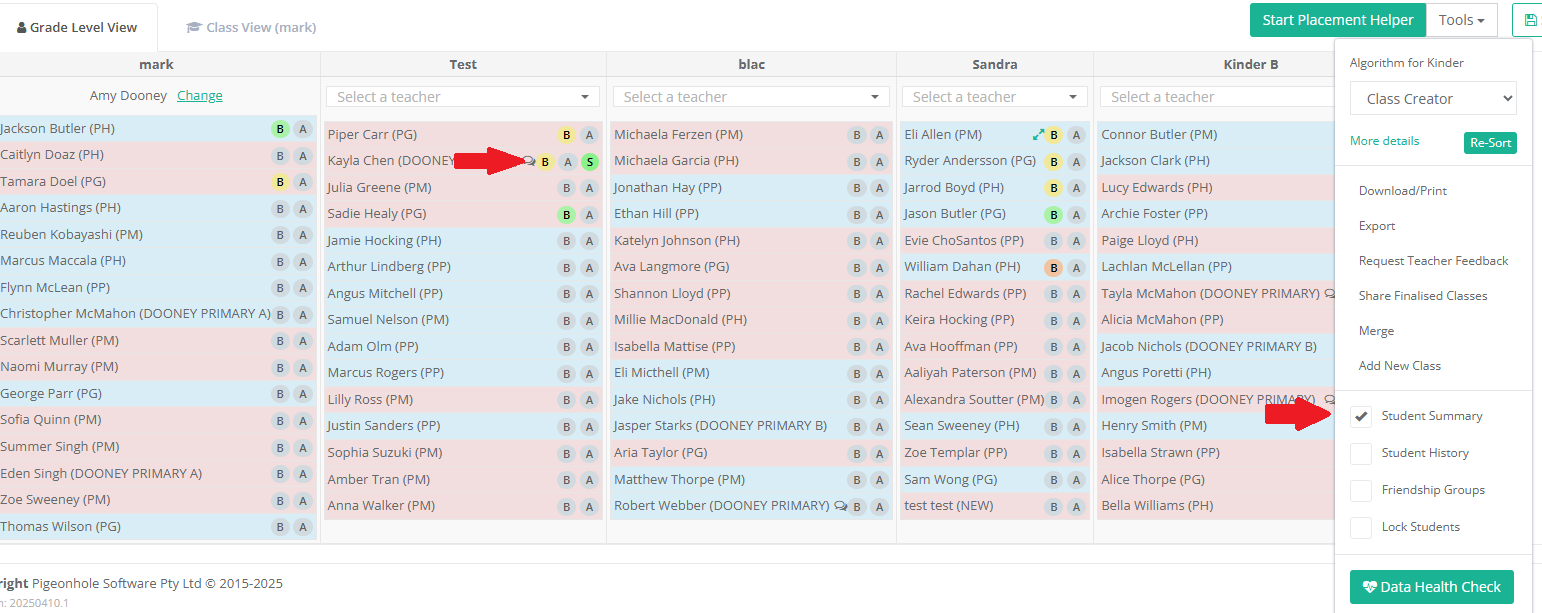
Student Summary displays the colour-coded data for each student.

Last updated on 06 May, 2025

Student Summary

Student Summary displays the colour-coded data for each student in regards to:

  • Behaviour

  • Academics

  • ESL/EAL/ESOL

  • Special Education

Student Summary allows educators to make informed placement decisions when editing classes/student placements.

To turn on the student summary icons on the Create Classes page, check the 'Student Summary' box from the tools menu.
 

Image


Was this page helpful?
Previous

Tools | Student History

Next