
Class Creator uses the survey data to place students in positive social groups.
Our goal is to meet separations, pairings and preference requirements within these small groupings where possible.
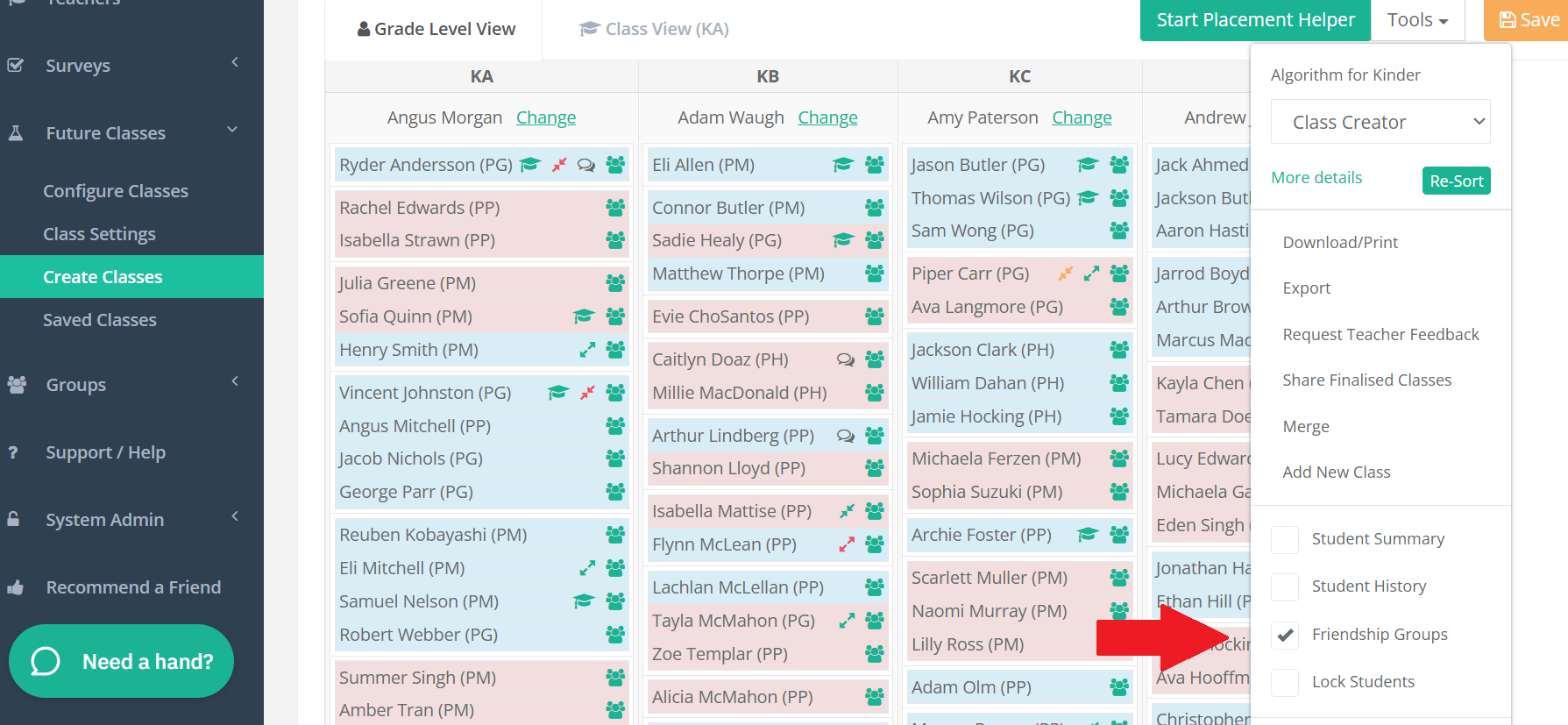
Friendships Group Move allows administrators to edit classes by moving these “positive groups” as one, rather than individual students.
Simply click on the Tools menu and click the tick box next to "Friendship Groups". Administrators will then be able to move groups from one class to another.