
In this video we take a look at how to share finalized classes with your teachers, along with survey data and handover notes.
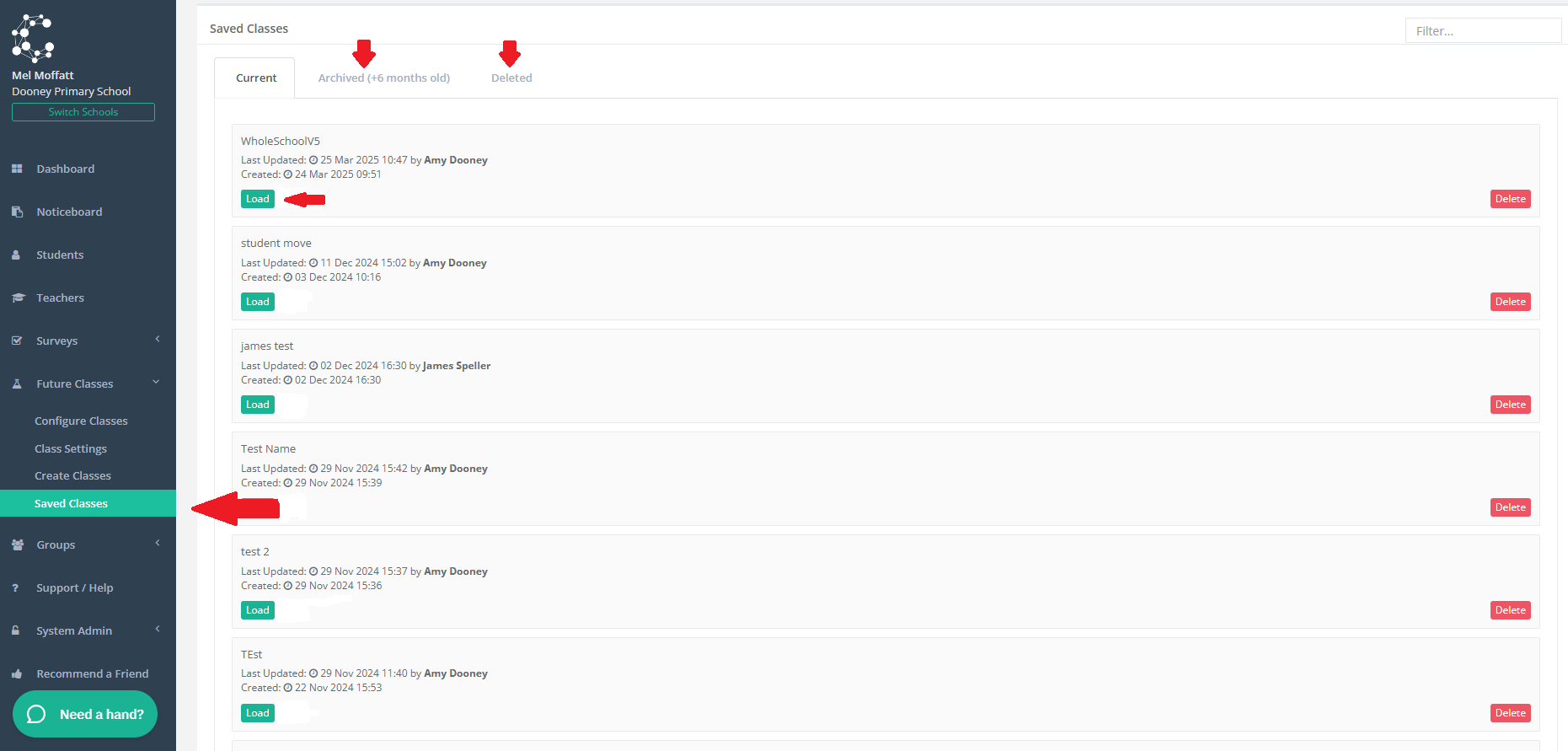
Navigate to Future Classes > Saved Classes. Here you can also find Archived Class Files and Deleted Class files:
In this step you will learn how to:
1. Request Teacher Feedback - Click here to learn more.
2. Use the Lock Students tool - Click here to learn more.
3. Use the Placement Helper tool - Click here to learn more.
4. Share Finalized Classes with Teachers by either Downloading and Printing Class Lists, Export Classes to a CSV to enable you to import the lists into your Student Information System and/or Share Lists electronically with your teachers.