

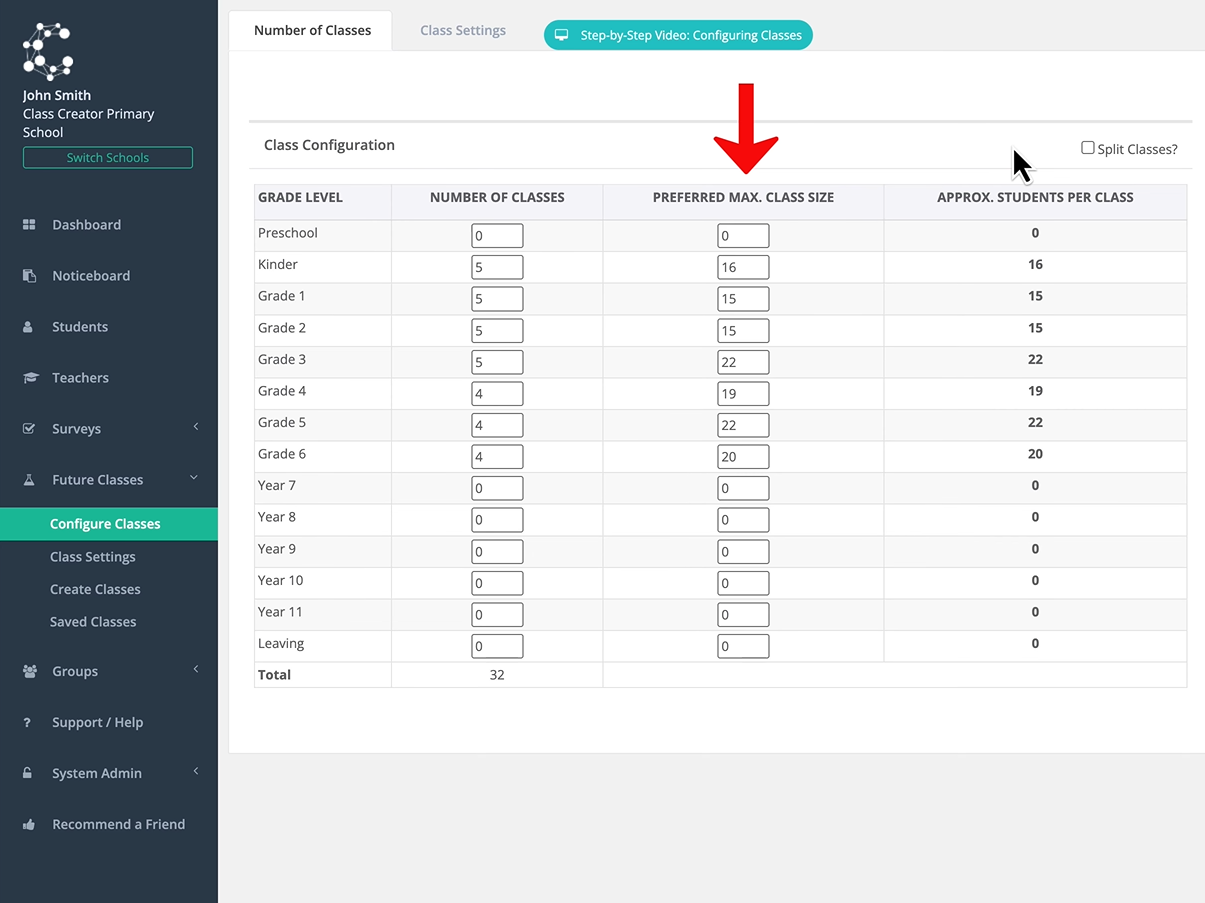
To specify maximum class sizes at grade level, navigate to configure classes. Here you can see the number of classes for each grade and the approximate number of students per class. In this column, you can specify a preferred maximum class size for classes in each grade. Please note that specifying maximum class sizes is not supported when using split classes.
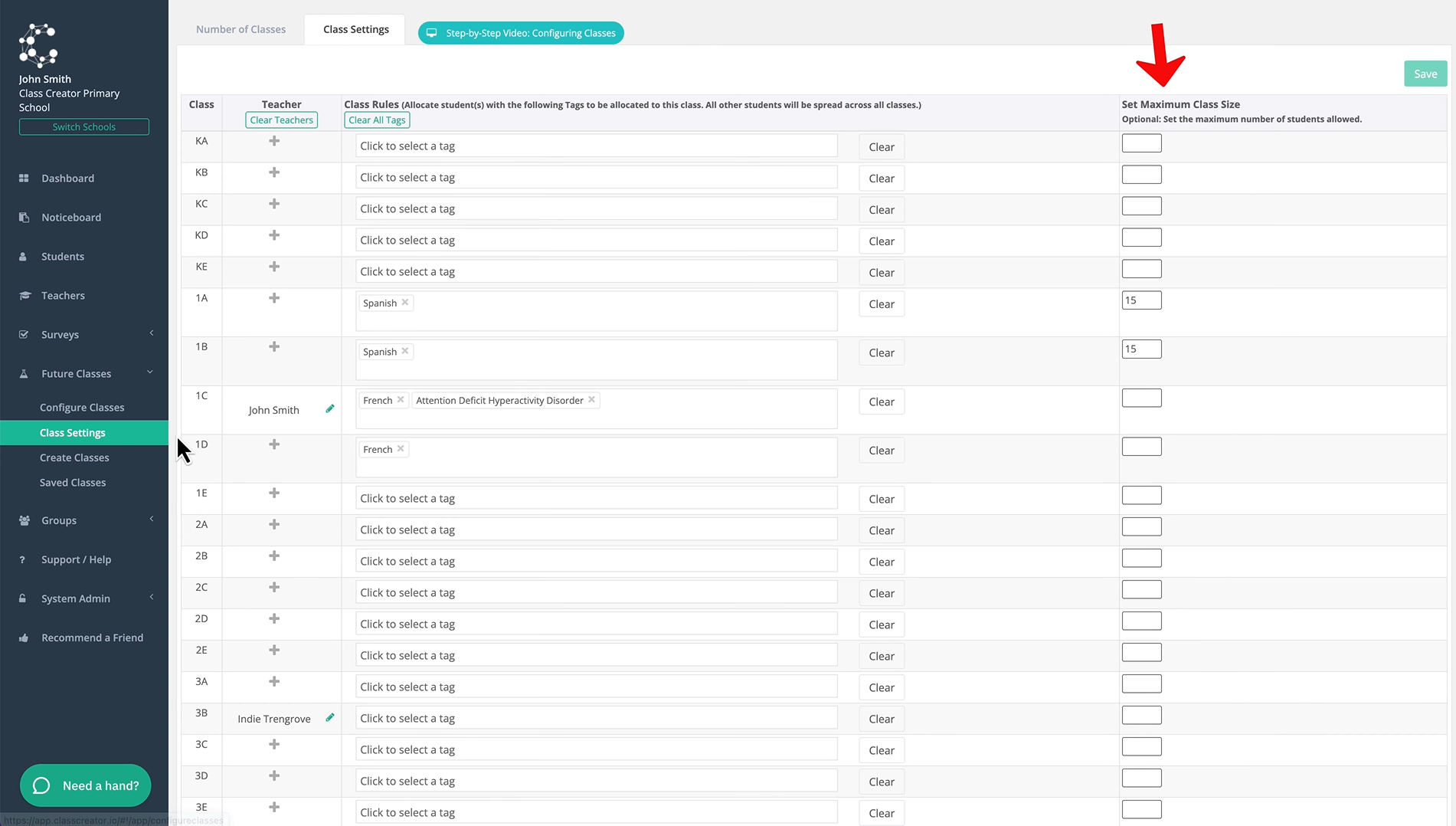
To specify maximum class sizes at the class level, navigate to class settings. In this column, you can specify the maximum size for individual classes. When you finish specifying maximum class sizes, remember to click 'Save'. It's worth noting that you don't need to specify an amount for every class if you prefer not to, it will revert back to the average class size in this case.
If you need more help with specifying maximum class sizes or any other part of the process, you can click the 'Need a hand?' button.