

You can now assign multiple teachers to a class.
Navigate to ‘Configure Classes’ > ‘Class Settings’ tab at the top.
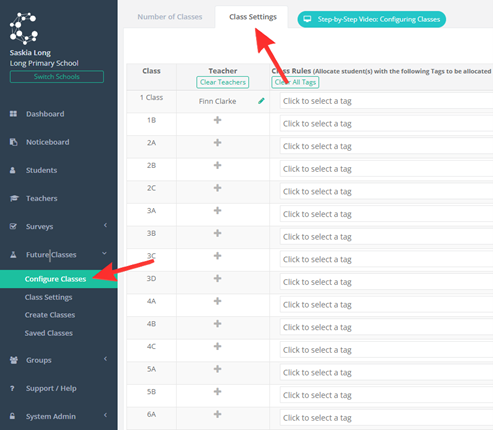
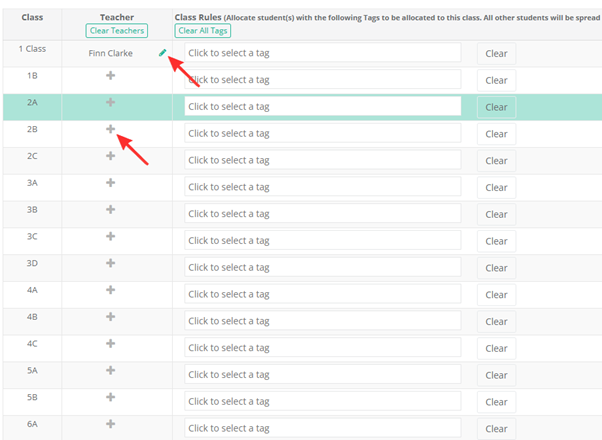
To assign a teacher or multiple teachers to a class, click the plus icon. To edit your selection, click the pencil icon to the side of the teacher’s name.
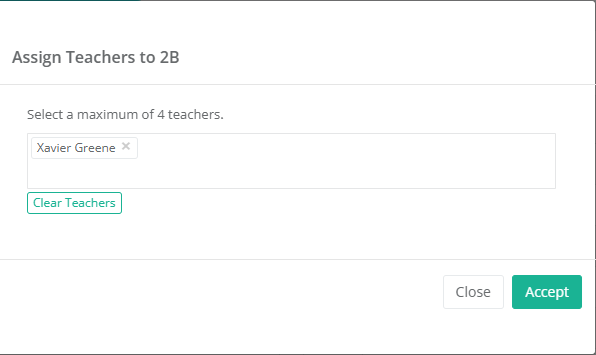
Click within the box to assign teachers to the class, you can assign a maximum of 4 teachers per class. To confirm edits, click ‘Accept’.
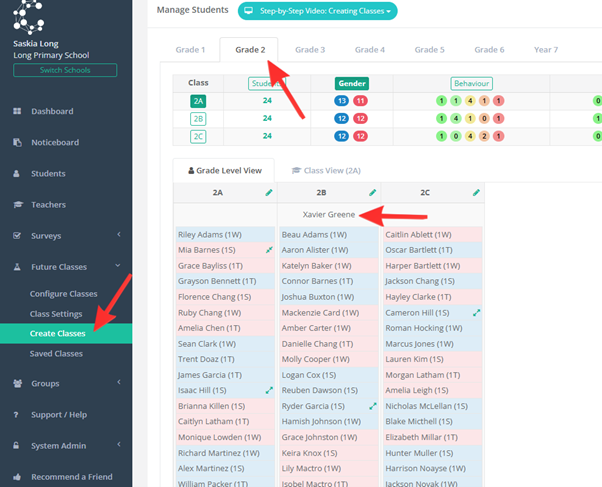
Navigate to ‘Create Classes’, followed by the grade you want to look at. The teachers name will appear at the top of the class. As the example shows, Xavier Greene is listed as a teacher under class 2B.
To learn more about this feature, watch the video below