
Class Creator now enables you to add a reason for the separation or pairing.
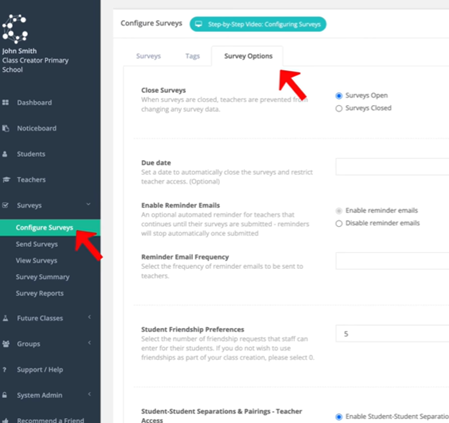
Navigate to ‘Configure Surveys’ > ‘Survey Options’ tab at the top of the screen
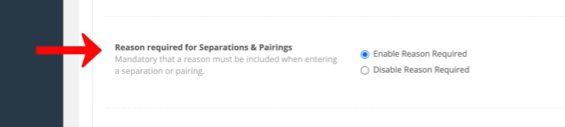
Reasons for separations and pairings can be enabled or disabled at the bottom of this screen.
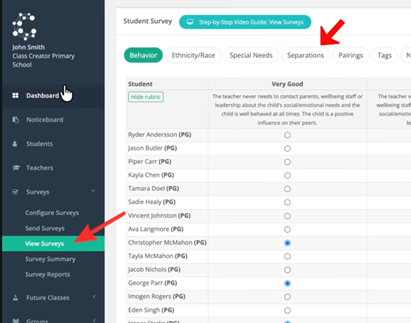
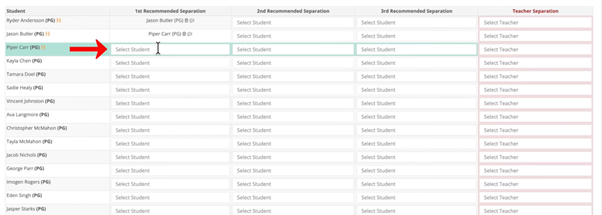
To use this feature, navigate to ‘View Surveys’ > ‘Separations tab at the top.
Click to the side of the student depending on who you wish to add a reason for separation or pairing for.
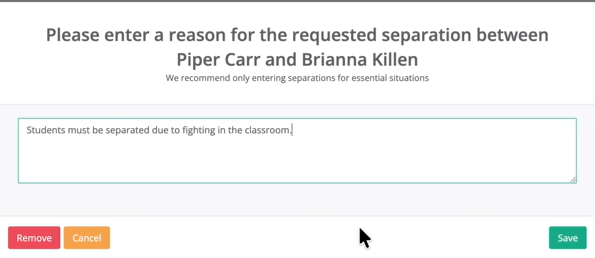
Write your comment in the box and click ‘Save’.
To delete the separation or pairing click the delete icon, to view the reason click the speech bubble to the side of the delete icon. From here, you can also remove the reason.