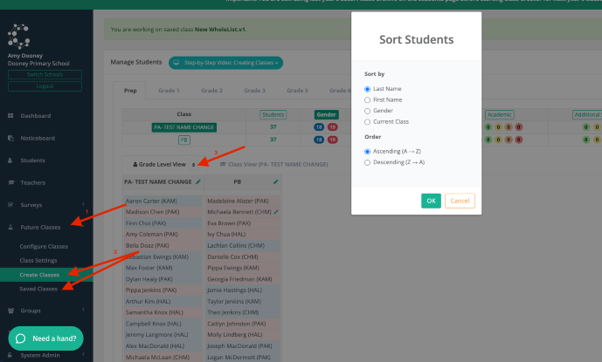

You can now sort your students in your same classes by one of the following:
Last Name
First Name
Gender
Current Class (this is the class that is shown on the student page for the student.)
You can also choose to order them in Ascending (A-Z) or descending (Z-A) order.
Navigate to Save Classes then you can either create a new class or click on a saved version, then simply click on the arrows next to ‘Grade Level View’ in the year level that you wish to view.