
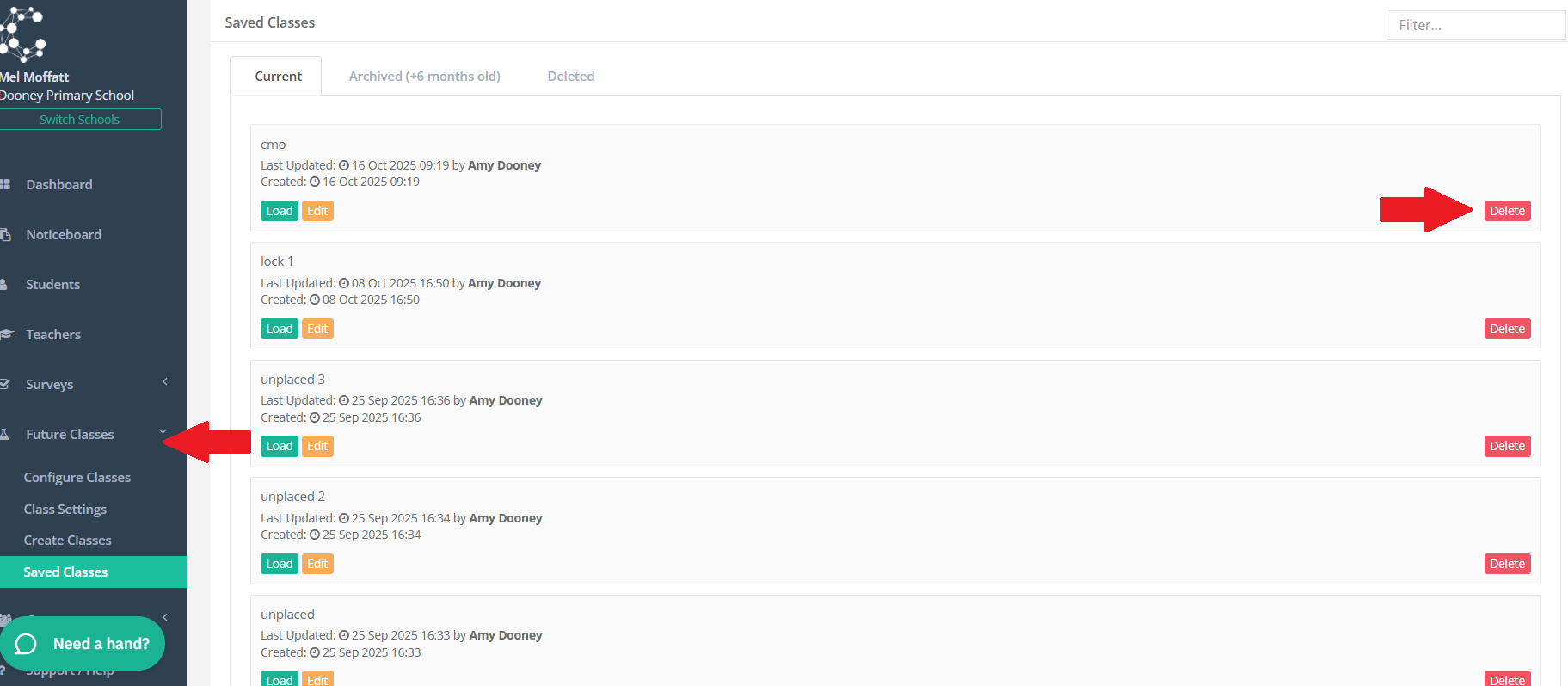
If you have created and saved a version of classes that you no longer wish to have a record of, simply navigate to FUTURE CLASSES > SAVED CLASSES and on the far right, next to the class you wish to remove, click the red delete button.
How can we help you?
Welcome to the Class Creator help page. If you can't find the answer you're after please contact us.
FAQ | How to delete a saved class version from 'Saved Classes'
Step 5 - Generate Class Lists
Last updated on 16 Oct, 2025
If you have created and saved a version of classes that you no longer wish to have a record of, simply navigate to FUTURE CLASSES > SAVED CLASSES and on the far right, next to the class you wish to remove, click the red delete button.