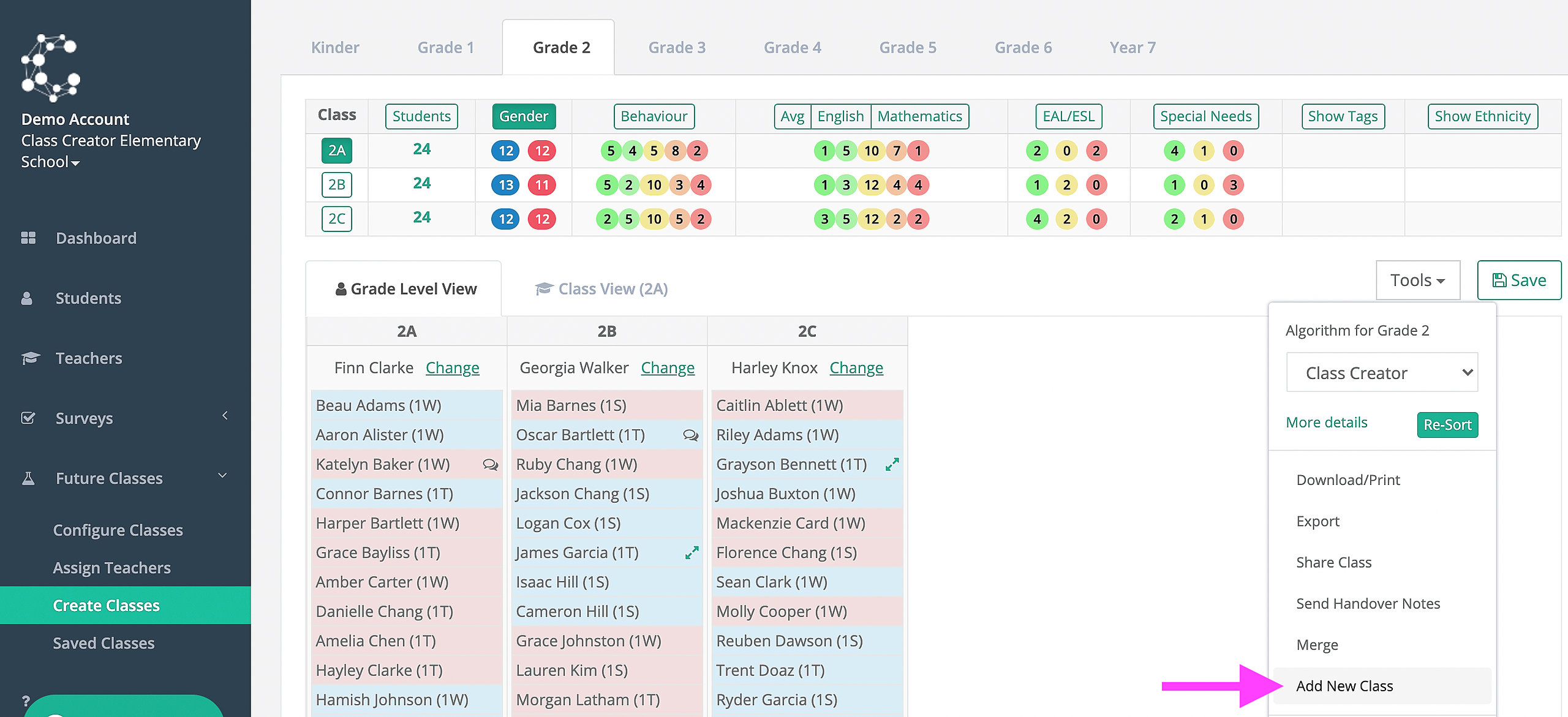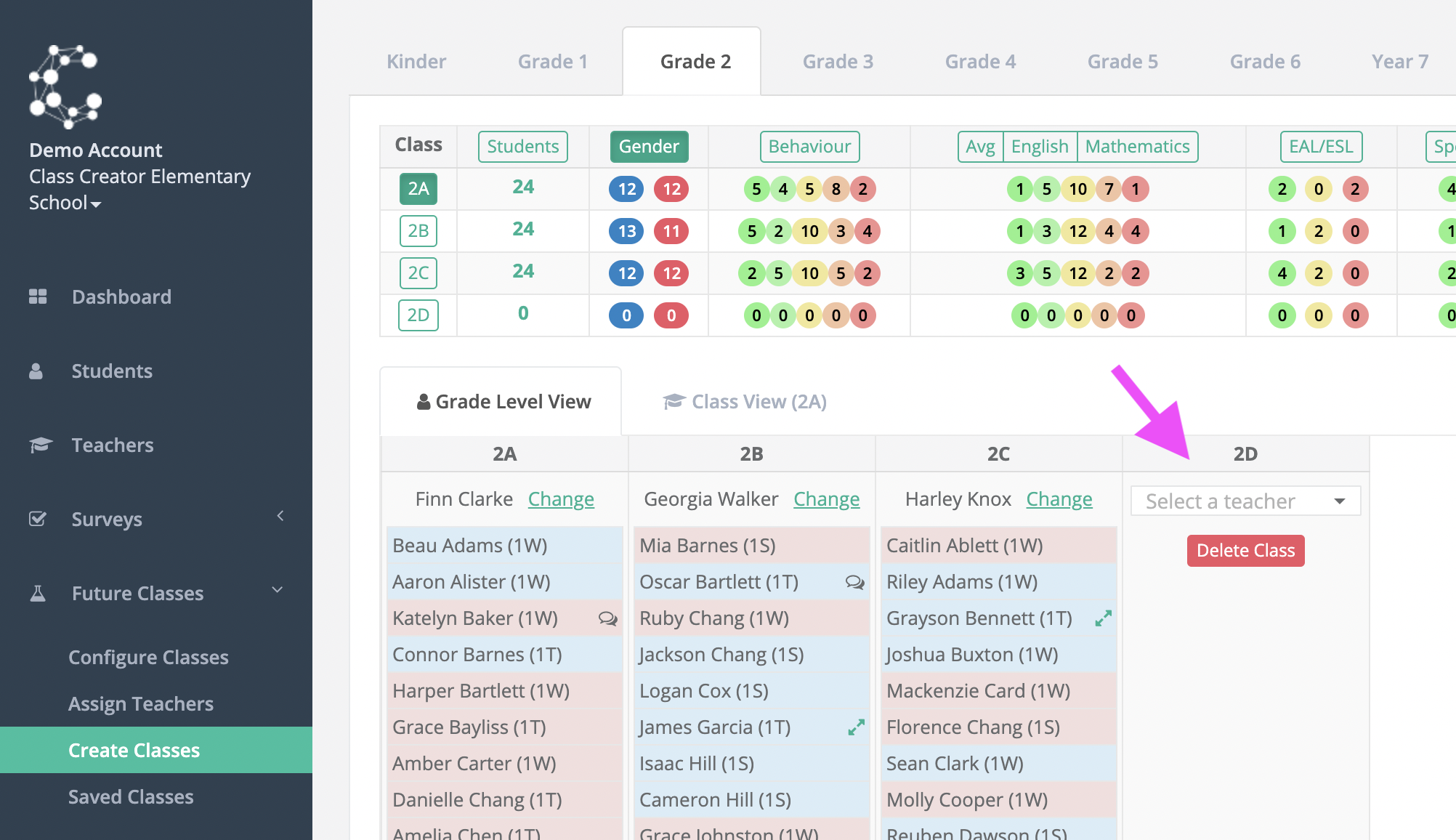

If after creating classes and making edits you need to add an extra class, you can use the ‘Add New Class’ tool.
When selected it will add a blank class to the year level you are currently viewing. This will allow you to drag and drop students into that class.
If you would like to create a new composite grade, you will need to add a new class to each of the grades levels you will have in that composite and will add only as many students as required to make up the two halves of the class.
If you no longer require the extra class, it can be deleted provided there are no students in the class and there is no teacher assigned.