

Student-Teacher Separations and Pairings are available to administrators only.
Fulfilling Student-Teacher Separations/Pairings are a high priority for the Class Creator algorithm when placing students, so they should be used for essential situations only.
Teachers must be assigned in the Configure Classes->Class Setting page before classes are created for Student-Teacher Separations/Pairings to be incorporated into the Class Creator algorithm.
Some examples of how some schools have used Teacher-Student Separations/Pairings:
Parent Requests/Teacher Recommendations
A teacher is moving up with the same student cohort and wishes to (not) teach them again.
Allocating students to a specialized class/teacher/program (ESL, Gifted, iPad, etc.)
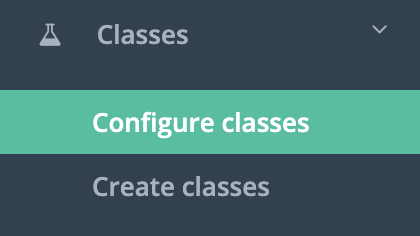
1. Click Classes -> Configure classes
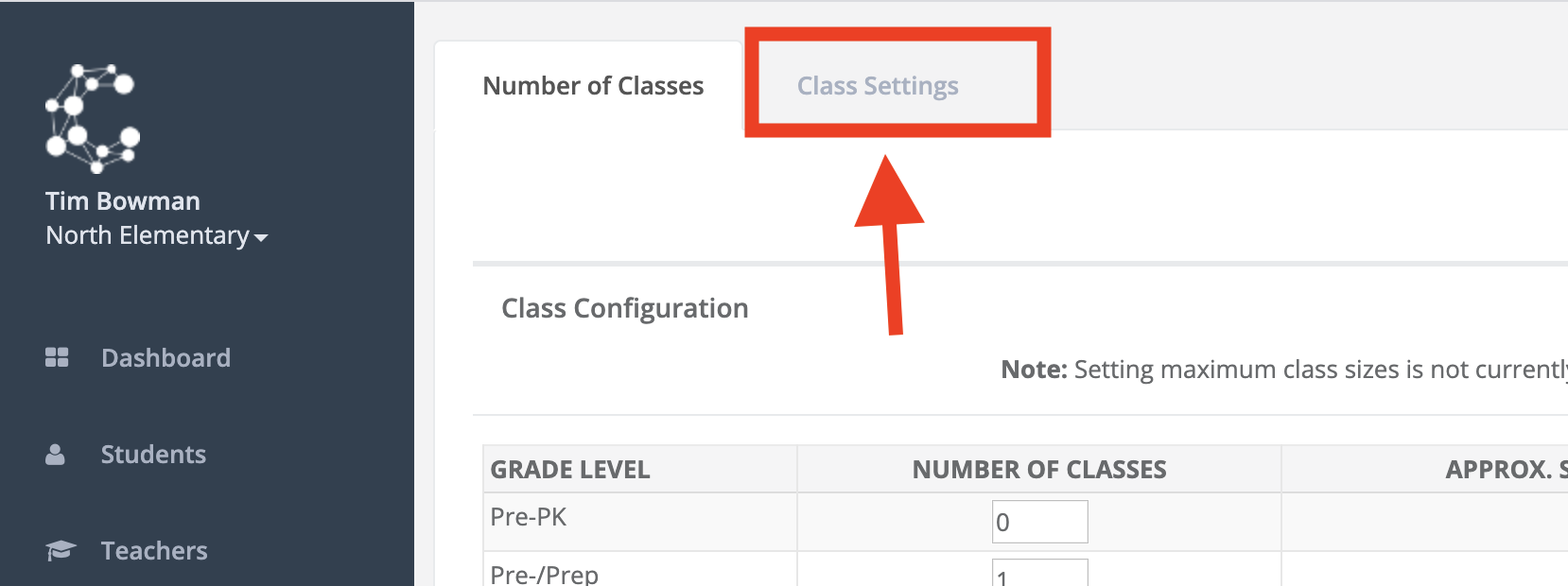
2. Click on the Class Settings tab.
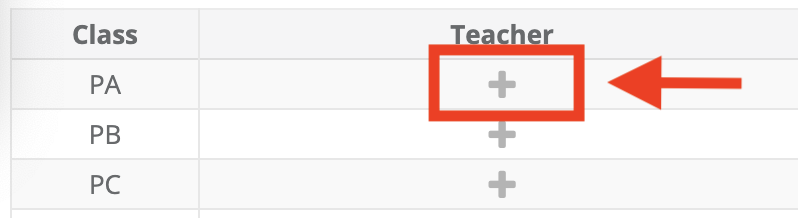
3. Click on the + symbol for the class you wish to assign a teacher to and add the teacher.
The reason for separations and pairings can now be entered into Class Creator by enabling this feature via Configure Surveys > Survey Options. View the video below to learn more: